
Business Internet Provider: How to Choose One and What Gennix Checks Before You Sign
Most businesses choose a business internet provider the way they would choose one for their home: on price, and on whatever happens to be available at the address. Then the connection becomes the thing every other system depends on. Microsoft 365, Teams, cloud backups, phones, and line of business applications all run through it, and when it is slow or down, the whole business feels it. Choosing a business internet provider is an IT decision, not just a purchasing one, and Gennix sees the consequences when it is treated as the latter. Businesses sign contracts for connections that cannot support their phones, run on residential plans with no repair commitment, or discover during an outage that the provider’s support ends at the modem. This post covers what a business internet provider needs to deliver, how to size a connection, why provider support runs out exactly where your problems begin, and what Gennix checks and configures so the connection works for businesses across Vancouver, Surrey, Langley, and the broader Lower Mainland.

What a Business Internet Provider Needs to Deliver, According to Gennix
Download speed is the number every provider advertises and the least useful number on its own. When Gennix evaluates a connection for a client, the questions that matter are upload speed, latency, consistency, written uptime and repair commitments, and how quickly the provider’s support actually responds. A business internet provider that delivers on those five will serve a business better than one that wins on headline speed alone.
Upload speed gets overlooked because most people think of the internet as something they download from. In a modern office the traffic runs both ways. Video meetings send your camera and audio out, cloud backup sends data out, and every file saved to SharePoint or OneDrive travels out before anyone else can see it. Many plans are asymmetrical, with fast downloads and much slower uploads, and that imbalance is where businesses usually feel the pinch first.
Latency and consistency decide how a connection feels in practice. A line that passes a speed test at ten in the morning but stutters during the afternoon rush produces choppy calls and slow applications, and no one can point to a number that explains why. Consistency is what voice and video depend on, which is why Gennix tests connections over time rather than trusting a single reading.
Then there are the commitments. A business internet provider should be willing to put an uptime target and a repair response time in writing, and should be clear about whether a static IP address is available if the business needs one for remote access or hosted services. If a provider will not commit to anything in writing, that tells you how your repair will be prioritized when something goes wrong.
→ Not sure whether your current connection can carry what your business runs on it? Talk to Gennix about testing it against your real day-to-day use.
Business Internet vs Residential: What Gennix Sees When Businesses Run on Home Plans
Plenty of small businesses start on a residential plan, and plenty stay there long after it stops making sense. The appeal is obvious: a lower monthly cost and fast setup. The trade-offs are less obvious until something fails.
Residential plans typically come with no uptime commitment and no priority when repairs are needed. A home customer’s outage can wait a few days. A business’s cannot. Capacity may be shared more heavily with neighbours, upload speeds are often modest, and static IP addresses are frequently restricted or unavailable. The terms of some residential plans also limit commercial use, which is worth reading before you build a business on one.
Business plans generally cost more and typically add a service level, faster repair priority, better upload options, and static IP availability. The difference is not that the connection is magically faster. It is that someone has committed to fixing it.
A residential plan is a reasonable starting point for a sole proprietor working from a home office with no phones or servers depending on it. It becomes a genuine risk once the business has multiple staff, VoIP, cloud backup, or anything that has to be reachable from outside. Gennix is provider-neutral and does not sell internet service, so the advice here is about fit rather than a particular carrier. When Gennix assesses a new client who is on a residential line, the question is simply whether the business can afford for that line to be down for a few days, and for most the honest answer is no.
→ Wondering whether your current plan is putting the business at risk? Gennix can review what depends on your connection and show you where the exposure is.
Connection Types Explained: What Gennix Looks for in Fibre, Cable, and Fixed Wireless
The type of connection matters as much as the business internet provider behind it. Availability varies a great deal from one address to the next across the Lower Mainland, so the first step is always to find out what is actually serviceable at your location rather than comparing plans that may not be available to you.
Fibre is generally the strongest option where it is available. It typically offers symmetrical speeds, meaning uploads match downloads, along with low latency and consistent performance, which suits video meetings, VoIP, and cloud backup well.
Cable internet is widely available and often a good fit for smaller offices. The usual limitations are slower upload speeds and shared capacity with other customers in the area, which can show up as slowdowns at busy times of day.
Fixed wireless can be a practical option where wired service is unavailable or the installation timeline is long. Performance depends on line of sight and local conditions, so it is worth asking what real-world speeds and consistency look like at your address.
Whatever the type, ask for the installation timeline in writing. Lead times for new business connections can be longer than expected, and the timing matters most when a business is moving offices or opening a new location. A line that arrives two weeks after the move leaves staff working from mobile hotspots. Starting the conversation with providers as soon as a move is planned, rather than after the lease is signed, avoids that situation.
How Much Internet Speed Does Your Business Need? How Gennix Assesses It
There is no single number that fits every business, because the right speed depends on what the business does online and how many people do it at the same time. Headcount is only part of it. Ten people working in email and documents use far less than ten people on video calls while a cloud backup runs.
Gennix starts with the workload. Microsoft 365 and cloud storage, Teams meetings, a VoIP phone system, remote access, and any cloud-hosted applications all draw on the connection, often at the same moment. Each of these changes what the connection has to handle, as covered in our posts on the benefits of Microsoft Teams, VoIP for business in Canada, and whether your business needs a server. A business that moves its phones to Teams Phone, for example, adds real-time voice traffic that needs consistent upload capacity, not just a large download number.
The Gennix network readiness assessment tests the connection against that real use instead of relying on the advertised speed of the plan. It looks at measured upload and download throughput, latency, and stability over time, then compares the results to what the business actually runs. The outcome is a clear answer on whether the existing connection is enough, whether it needs upgrading, or whether the real bottleneck is inside the network.
That last outcome is more common than most businesses expect. A connection that looks inadequate is sometimes fine, and the problem is a firewall with no traffic prioritization or a Wi-Fi network overloaded by devices that should not be on it. Upgrading the plan in that situation costs more every month and fixes nothing.
→ Want to know whether you need a faster connection or a better-configured network? Talk to Gennix about a network readiness assessment before you sign anything.
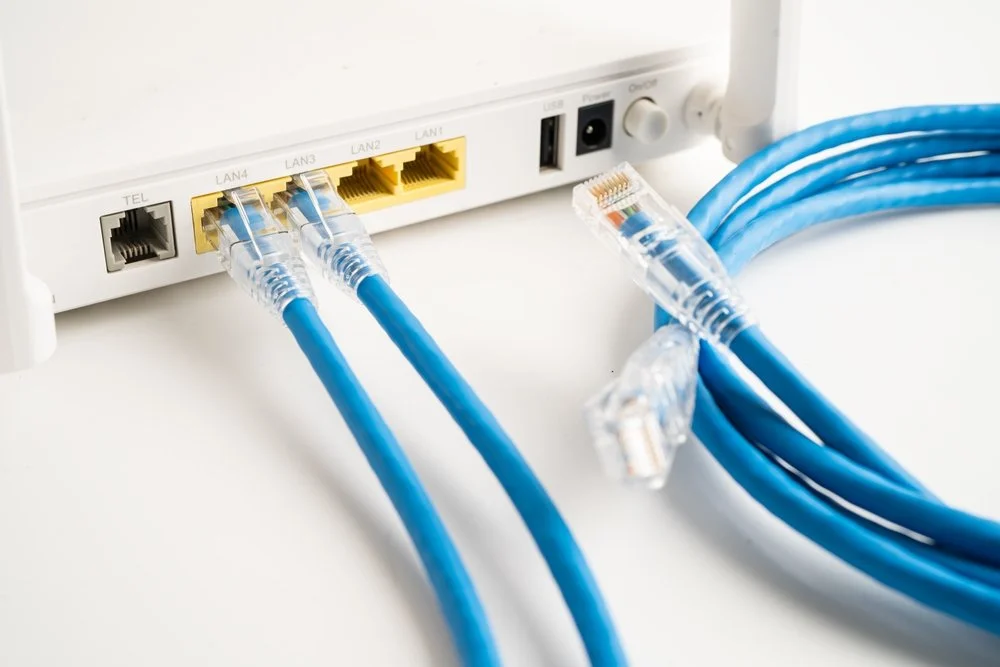
Why Internet Providers Will Not Give You the Support You Need
Internet providers support their own equipment and their own line. That is where their responsibility ends, and it ends earlier than most business owners assume. When the problem sits inside your network, the provider will not troubleshoot your firewall, your Wi-Fi, your phones, or the reason one application is crawling while everything else works fine.
This creates a familiar and frustrating pattern. The business calls the provider, who runs a test on their side, finds the line healthy, and closes the ticket. The business is left with a connection that tests fine and a problem that has not gone away. Without someone who understands the whole path, from the provider’s equipment through the firewall to the individual devices, nobody owns the problem, and staff lose hours while the finger pointing continues.
Support quality on the provider side also varies. Some business plans come with priority repair and a dedicated business support team, while others route everything through the same queue as residential customers. This is why the questions you ask before signing matter, and why we cover them in a dedicated section below.
The practical answer is to have a technical partner who knows the internal network and can tell quickly whether a problem belongs to the provider or to the business. If it is the provider’s, you have the evidence to press them. If it is yours, it gets fixed instead of debated. Gennix is provider-neutral and does not sell internet service, so its only interest is that the connection works for the business. The ongoing managed IT services relationship covers the network behind the connection, which means one team knows the environment when something slows down.
→ Tired of being stuck between your provider and your own network? Gennix can be the team that works out where the problem actually is.
Why Gennix Recommends a Backup Internet Connection for Business
For most businesses the internet is no longer a convenience. It is how phones ring, how files are reached, how customers are served, and how backups reach the cloud. An outage does not just stop web browsing. It can stop the whole business, and a business internet provider’s repair commitment, however good, still leaves a window during which staff cannot work.
A backup connection closes that window. The idea is simple: a second line, ideally from a different provider and over a different type of connection, so that a single fault does not take both down. A business on fibre might pair it with a cable or fixed wireless line. Two lines from the same provider, or two lines that share the same physical route, protect against much less than they appear to.
The second part is how traffic switches over. A firewall that supports more than one internet connection can move traffic to the backup line automatically when the primary fails, so staff keep working without anyone having to intervene. That capability depends on the firewall model and how it is configured, so confirm it with whoever manages your network before you buy a second line.
Whether a backup connection is worth the cost comes down to what an hour of downtime costs the business. If phones, cloud applications, or point of sale depend on the connection, the answer is usually yes. If the business can work offline for a few hours with little impact, it may not be. This is the kind of question Gennix works through with clients as part of broader IT planning, including Microsoft 365 managed services, since the cost of an outage depends on how much of the business now lives in the cloud.
→ Wondering whether an outage would stop your business, and what a backup line would be worth? Talk to Gennix about the real cost of downtime in your environment.
What Happens After the Connection Arrives: How Gennix Configures the Network Behind It
Choosing a good business internet provider gets the connection to your door. What happens after that determines whether the business actually feels the benefit. In Gennix’s experience, most connection complaints turn out to be network configuration problems, and a faster plan does not fix any of them.
The firewall is the first place to look. Gennix manages SonicWall firewalls for clients, and the configuration decides how internet capacity is shared. Quality of Service rules prioritize voice and video traffic, so a large file upload or a software update on one machine does not degrade a Teams call for everyone else. Without those rules, all traffic competes equally and the most time-sensitive traffic loses.
The structure of the network matters too. In a flat network, guest devices, personal phones, printers, and IoT equipment all share the same space and the same capacity as business systems. Network segmentation separates them into zones with controlled traffic between them, which improves performance and also limits what a compromised device can reach. Gennix designs these zones using SonicWall firewalls and Cisco Small Business or Ubiquiti Unifi managed switches.
Security sits alongside performance. The same firewall that prioritizes traffic also provides content filtering, intrusion prevention, and traffic inspection at the network boundary. These are part of the network security work Gennix maintains for clients, and part of the layered approach described in our post on cyber threat prevention. Firmware is kept current and rules are reviewed as the business changes, so the configuration does not drift out of step with the connection it protects.
→ Is your network configured to make the most of the connection you are paying for? Contact Gennix to have the setup behind your internet reviewed.
The Questions Gennix Recommends You Ask Any Business Internet Provider
Before signing with any business internet provider, ask what uptime the provider commits to in writing and what happens if they miss it. Ask what the repair response target is for a business customer, and whether business accounts have a separate support line from residential ones. Ask whether upload speed matches download speed, and what the plan delivers during busy periods rather than at its best. Ask whether a static IP address is available and what it costs. Ask for the installation timeline at your exact address and what happens if it slips. Ask about contract length, early termination terms, and what the price becomes after any promotional period ends. And ask what happens during an outage: how you are notified, how updates are provided, and who you speak to.
The answers give you a picture of how the relationship will work once the sales process is over. Providers who answer clearly and in writing are usually the ones who behave the same way during an outage. Those who hedge on commitments are showing you something worth noticing before you sign.
It is also worth having someone who understands your network confirm that the plan will support what you run on it, particularly before agreeing to a multi-year term. A contract is much easier to get right than to get out of. The how to choose a managed IT provider post covers the same principle for IT support, and it applies equally to the connection everything else depends on.
→ Comparing quotes and not sure what to make of them? Send Gennix the proposal and get a straight read on whether it fits your business.

How Gennix Helps Lower Mainland Businesses Get the Most From Their Internet Connection
Gennix does not sell internet service, which is the point. Businesses across Vancouver, Surrey, Langley, Burnaby, Chilliwack, White Rock, Richmond, Coquitlam, Port Coquitlam, Delta, New Westminster, Maple Ridge, and Abbotsfordwork with Gennix because it looks at the connection, the firewall, the Wi-Fi, the phones, and the cloud applications as one environment, and has no reason to favour one provider over another.
The work covers the whole path. A network readiness assessment tests whether the connection suits the business. The firewall is configured with Quality of Service and segmentation so the capacity you pay for is used well. Ongoing managed IT services, Microsoft 365 managed services, network security, and business computer support keep everything behind the connection maintained, patched, and monitored. Calls to the Gennix help desk are answered live and backed by a 30-minute response guarantee, with onsite support available across the Lower Mainland when remote troubleshooting is not enough.
That support extends to the industries Gennix works with, including healthcare, law firms, nonprofits, manufacturing, and small business, where a reliable connection is not optional. For businesses choosing a business internet provider for the first time, replacing one that has let them down, or opening a new location, the starting point is the same: understand what the business runs, test what the connection delivers, and fix what sits between the two.
→ Ready to choose a connection with confidence, or to find out why your current one is not performing? Contact Gennix to start with an honest assessment.
Frequently Asked Questions
What is a business internet provider?
A business internet provider is a company that supplies internet service designed for commercial use. Compared with residential plans, business plans typically offer better upload speeds, a written service level, faster repair priority, and options such as static IP addresses. Gennix is not an internet provider, but it helps businesses assess their options and configures the network behind the connection through managed IT services.
Is business internet worth it compared to residential?
For most businesses with multiple staff, phones, cloud backup, or anything that must be reachable from outside, yes. The main benefit of a business plan is not raw speed but the commitments that come with it, such as an uptime target and faster repair priority. A residential plan can be acceptable for a sole proprietor with nothing critical depending on the connection.
How much internet speed does a business need?
It depends on what the business runs and how many people use it at the same time. Video meetings, cloud storage, VoIP, and backups all draw on the connection, and upload speed and consistency matter as much as download speed. Gennix tests the connection against real use through a network readiness assessment rather than relying on the advertised speed of a plan.
Does my business need a backup internet connection?
If phones, cloud applications, or customer-facing systems depend on the connection, a backup line is usually worth considering, ideally from a different provider over a different connection type. The right answer depends on what an hour of downtime costs the business. Gennix works through that question with clients as part of broader IT planning.
Does Gennix help businesses in my area with their internet and network setup?
Yes. Gennix provides managed IT services, Microsoft 365 managed services, network security, penetration testing, and business computer support to businesses across Vancouver, Surrey, Langley, Burnaby, Chilliwack, White Rock, Richmond, Coquitlam, Port Coquitlam, Delta, New Westminster, Maple Ridge, and Abbotsford. Network readiness assessments, firewall configuration, and the network setup behind a business internet connection are part of what Gennix delivers throughout the Lower Mainland.
→ Not sure whether your business internet provider is giving you what you are paying for? Talk to Gennix and find out where the connection, or the network behind it, is falling short.
→Follow Gennix on LinkedIn and Facebook for more IT guidance for businesses across the Lower Mainland.